Overview
Credit card readers have unique serial numbers located underneath each device. We do not maintain a current record, as devices may be exchanged. To ensure proper pairing with your POS and back office, please provide the serial number(s) for the reader(s) you need us to troubleshoot or configure.
Step 1. Remove the card reader from the mount.
Please click this link to view the steps on how to detach your card reader from your mount. While this article pertains to the s300 model, the steps should generally apply to all models.
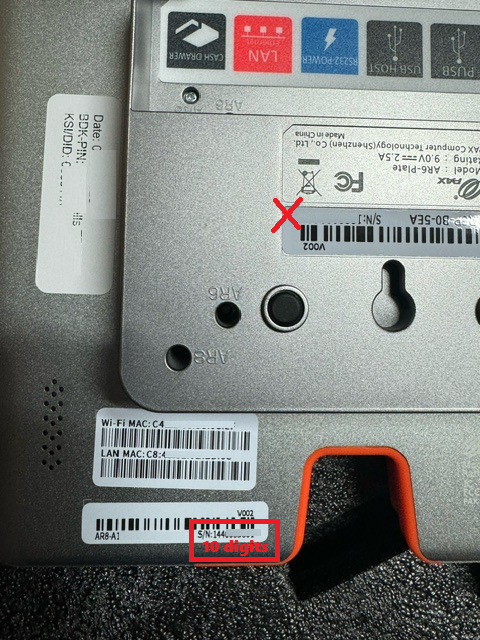
Step 2. Look for the sticker that has "S/N" on it.
Please refer to the pictures below for the specific model of your card reader.
PAX s300 | PAX a35 | PAX Aries 8 |
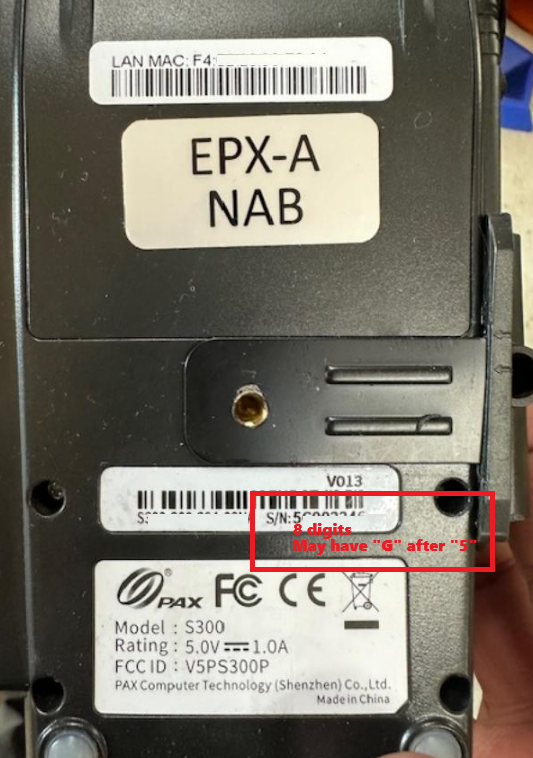 | 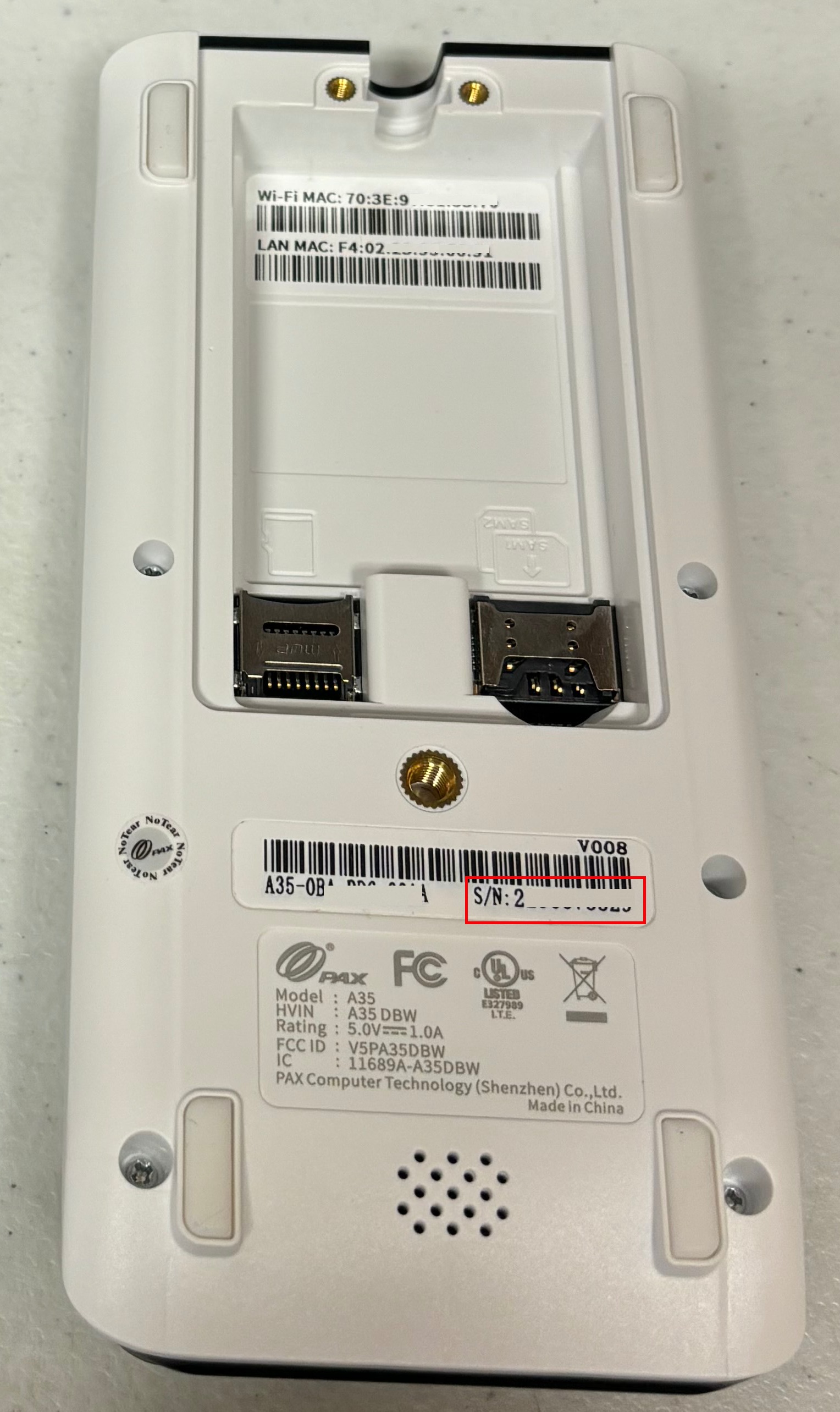 | |
PAX A920/Pro | MagTekDynaFlex Pro | |
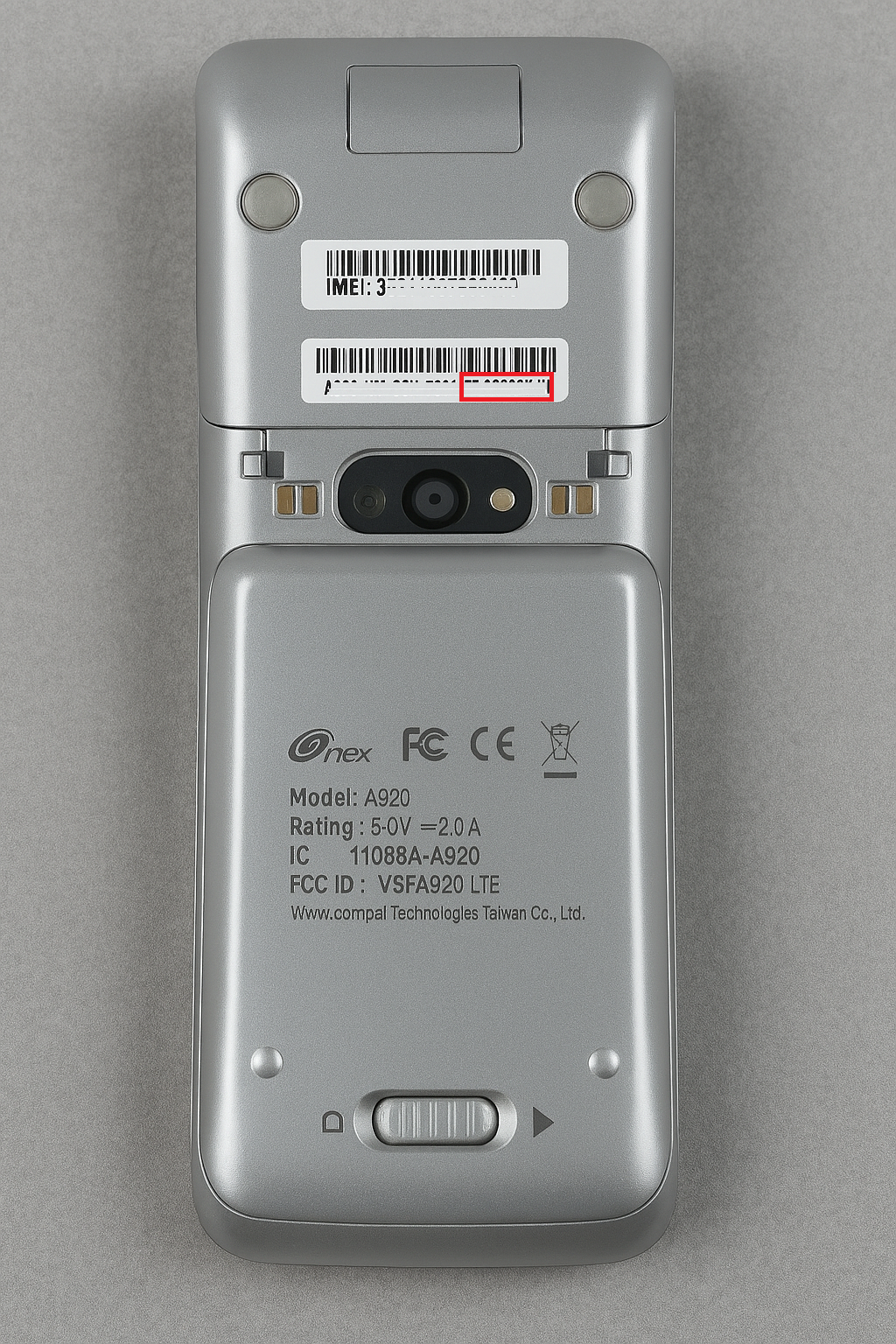 | 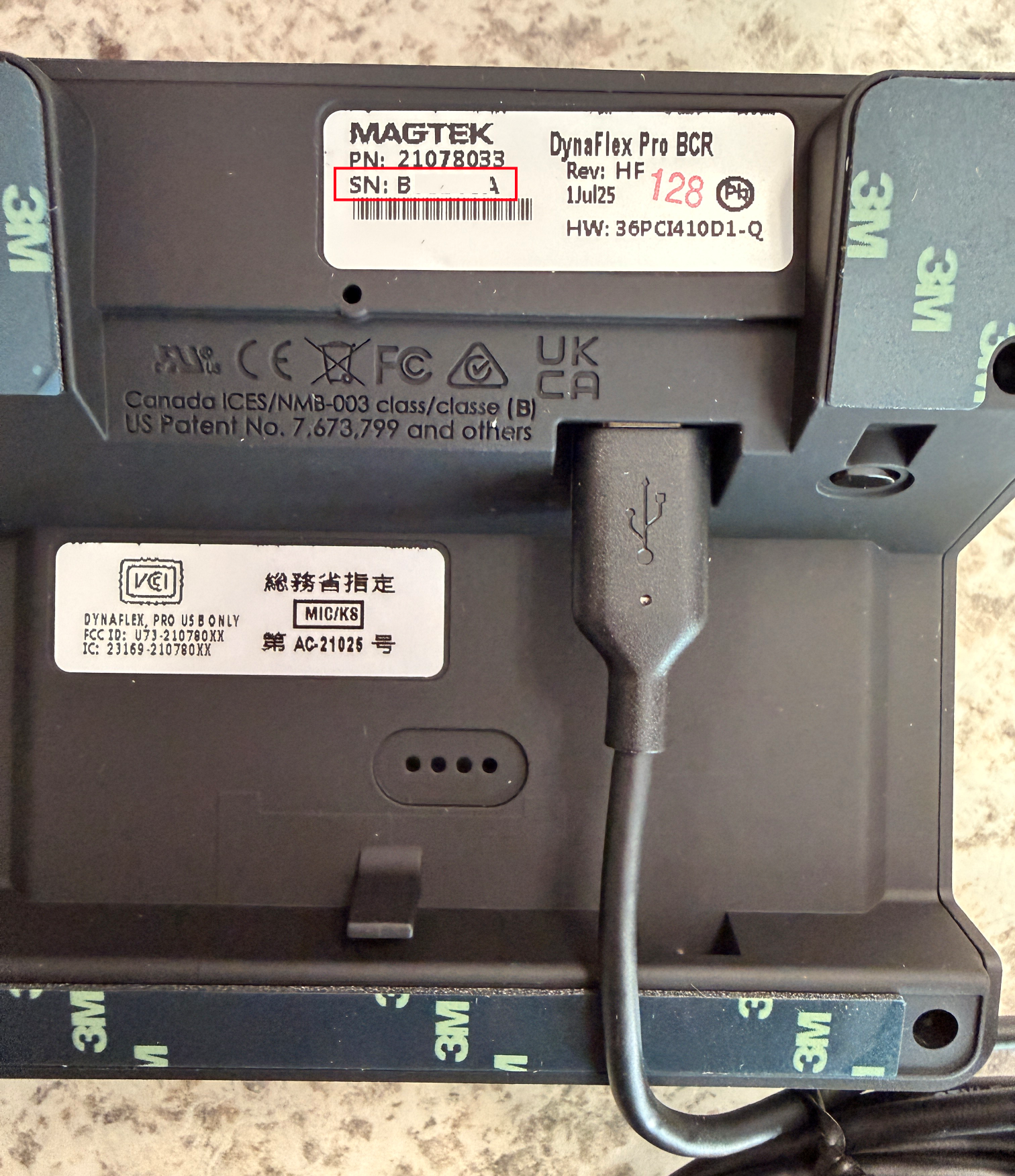 |
This Fixes Your Card Readers 90% of the Time
 Click here. to know how.
Was this article helpful?
That’s Great!
Thank you for your feedback
Sorry! We couldn't be helpful
Thank you for your feedback
Feedback sent
We appreciate your effort and will try to fix the article